Their updates.
Your approval.
A simple conversation for your clients. Clear permissions and content review for your agency. One connected workflow for your Astro sites.
A conversation starts it.
Your client asks to update the opening hours in their own space.
A draft, within your rules.
The proposed content stays within the permissions and pages your agency allows.
Your agency has the final say.
Review the proposed text before approving it. Design and layout stay in your hands.
Approved content goes live.
With publishing configured, approved changes can be published to the client’s Astro site.
Every site.
One workspace.
All your client sites, built with Astro. Together in one workspace. Keep projects organized, manage client access, and stay in control of every update.
Try the workspace GostraxWorkspace / Projects ASTRO WORKSPACE
A place for every client.
an impact.
perspectives.
worth keeping.
Your agency, at a glance.
Pick up where you left off.
Studio, Atelier and Fieldnotes. Each site has its own workspace, files and client permissions.
Keep track of the work.
- Homepage text updated
Studio · Saved content change
- Project imported from GitHub
Atelier · Astro workspace created
- Client access configured
Fieldnotes · Permissions saved by the agency
Project updates and workspace events, together in one view.
A shared home for your team.
Studio Agency
4 team members · 3 Astro projects
Agency workspaceOne workspace for your sites, client permissions and content updates.
From what you see.
To what you mean.
Your agency’s workspace for every client site. Select an element, work with AI, and review changes in the live preview. Open the Astro source whenever you need more control.
GostraxStudio / Build PROJECT WORKSPACEGood design.
Great websites.
Thoughtful websites for ambitious brands.
01 ---
02 import Button from './Button.astro';
03 ---
04
05 <section class="hero">
06   <h1>Good design.
07     <em>Great websites.</em>
08   </h1>
09   <p>Thoughtful websites
10      for ambitious brands.</p>
11   <Button href="/work">
12     Explore our work
13   </Button>
14 </section>INFO Preview connected to the Astro workspace.
INFO Example runtime output appears here.
Point to what matters.
Select and annotate page elements to make your request specific.
See both sides.
Move between the visual preview and the Astro source.
Keep the details close.
Open the console to inspect preview logs and runtime errors.
Your code.
Still yours.
Give clients access to content, while your agency keeps control of the Astro source. Edit project files in expert mode and export your saved code, assets and configuration whenever you need.
Get Early Access01 Astro source & components
02 Project images & assets
03 Saved configuration
FilesStudio / Workspace---
import Layout
from '../layouts/Layout.astro';
import Hero
from '../components/Hero.astro';
---
<Layout title="Studio">
<Hero />
</Layout>The export contains your saved project files. Dependencies, build output and secret environment files stay out of the archive.
LibraryStudio / Repository mediaLess searching.
More creating.
Keep every client site’s images, videos, fonts and documents in one place. Find the asset you need, see where it’s used, and keep content updates organized.
Your media stays connected to the Astro project. Browse existing assets without duplicating the files.
Fully equipped.
Entirely yours.
A dedicated space for your clients. Clear permissions for your agency. And the tools to manage every Astro site, together in one workspace.
Your clients. Their own space. ↗
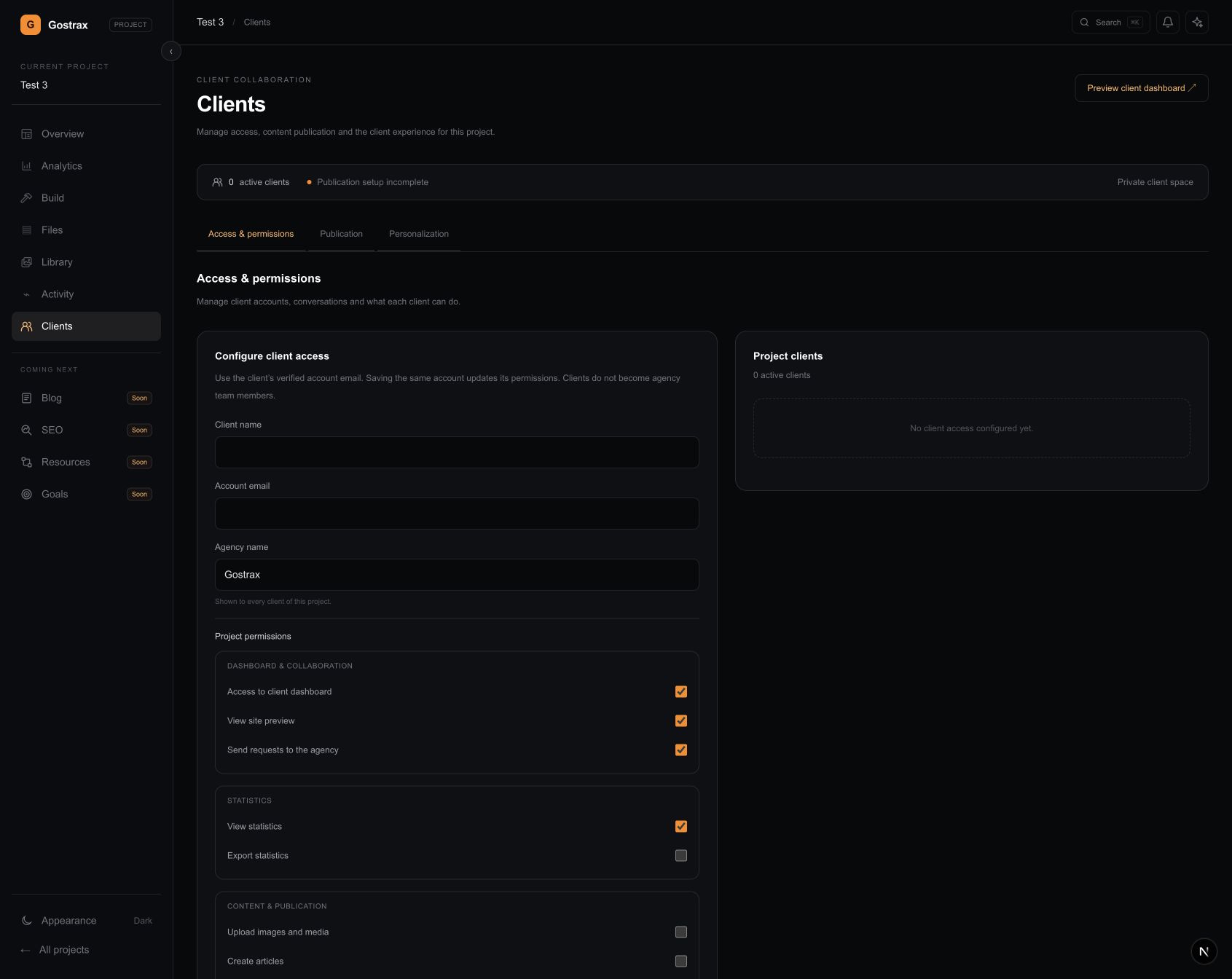
Give each client a dedicated dashboard to share requests, talk to your agency and preview their site.
Their updates. Your rules. ↗
Choose which content clients can edit and who can publish approved changes. Your agency manages the design and layout.
A conversation with context. ↗
Bring your ideas, selected elements and project files into the conversation with AI.
Your site, in sight. ↗
Keep your live preview close. Select and annotate an element to make your next change specific.
Go straight to the source. ↗
Explore your files. Enable expert mode to edit and format your Astro code directly.
Everything in its place. ↗
Find images, videos, fonts and documents. See where your media lives and where it’s used.
Take your work with you. ↗
Export your saved source, assets and configuration as a ZIP. Your project stays yours.
Bring what you’ve built. ↗
Connect GitHub, choose your repository and branch, and bring an existing Astro site into Gostrax.
Every screen counts. ↗
Switch between mobile, tablet and fit previews. Keep viewport dimensions in view while you refine.
Clarity, down to the details. ↗
Inspect preview logs and runtime errors in the workspace. Filter the output to find what matters.
Small details. One connected workflow.
A little
more clarity.
What is Gostrax, and who is it for?
Gostrax is a workspace for agencies managing client websites built with Astro. Bring projects, client conversations, content permissions and your agency’s editing tools together, while keeping control of the source and design.
Does Gostrax work with every website?
Gostrax supports Astro projects exclusively. You can import an existing Astro repository from GitHub. WordPress sites and projects built with other frameworks are not supported.
What can my clients do?
Each client gets a dedicated space for their project. Depending on the permissions you grant, they can send requests, preview the site, view statistics, upload media, create articles or edit approved page text. They do not become members of your agency team.
Can clients change the design or access the code?
The client space is for conversations and permitted content updates. Your agency manages the design, layout and Astro source. You choose which pages clients can edit and review their proposed content changes.
Who decides when changes are published?
Publishing approved content is a separate client permission controlled by your agency. Content changes go through agency review. Publication also requires the project’s publishing setup, so access to editing does not automatically grant access to publish.
Can my agency work directly with the code?
Yes. Browse your Astro pages, components and configuration in Files. Source opens read-only; enable expert mode to edit it directly. The agency workspace also brings the live preview, AI conversation and console together.
Can I export my projects?
Yes. Export your saved Astro source, assets and configuration as a ZIP archive. Dependencies, generated build files and secret environment files are excluded. Your project’s source stays yours.
How can my agency get early access?
Early access is by invitation. It’s free to join, and we’re onboarding a small number of agencies at a time while we continue developing and testing Gostrax.